
FOR ACCOUNTANTS
Manage all your clients.
From one place.
One Snapfact login. Every client's invoices, VAT reports, and financial health — in real time, without email back-and-forth.
Accountant firm accounts are invite-only: a Snapfact client (SME or freelancer) invites you by email so you can create your firm access. You cannot self-register as an accountant.
AUTOMATION STUDIO
Automate recurring firm workflows.
Partner firms can configure collection follow-ups, VAT deadline reminders and client onboarding once — then reuse them across connected clients in Snapfact Automation Studio when eligible.
Included when you reach Partner status under the current partner program.
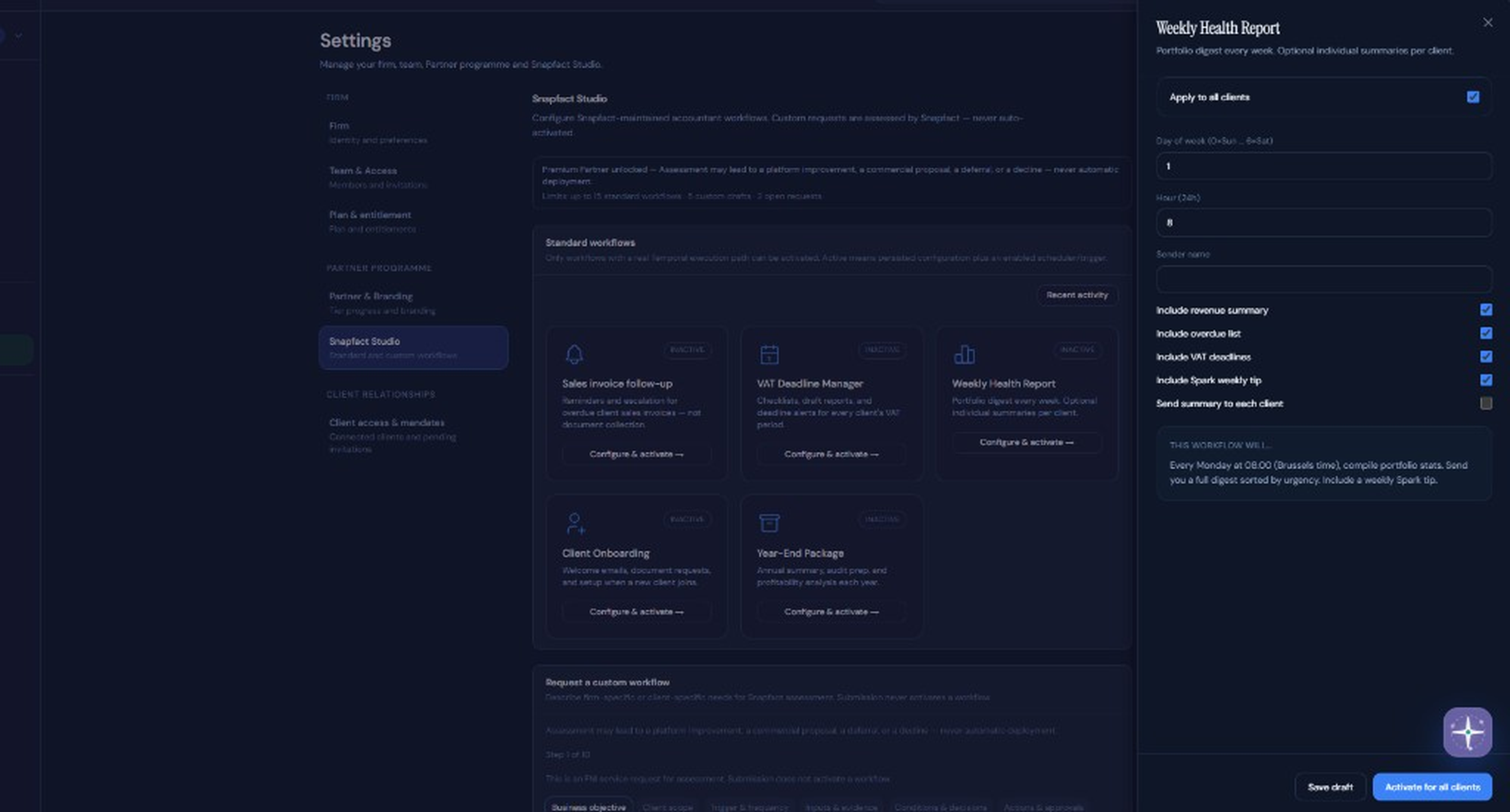
Snapfact Studio · Premium Partner (Layer 1 P7b)
Quarter-end often means chasing exports by email and re-keying the same figures. Snapfact keeps the shared financial picture in one workspace instead.
— Snapfact product team
Invite-only firm access, then invite clients into your portfolio.
HOW IT WORKS
Three clear steps.
01
Get invited, then open your portal
A client invites your firm from Settings → Accountant access. Open the secure email link to create or join your accountant firm, then sign in to the accountant portal.
02
Invite clients into your portfolio
From My clients, invite organisations that already use Snapfact (email + exact company name). They accept once — then their workspace appears in your portfolio.
03
Work from your dashboard
Invoices, reports and status stay available in real time for connected clients (read-only) — without chasing ZIP exports by email each period.
PARTNER PROGRAM
Grow your firm. Earn rewards.
Free accountant portal for invited firms.
Free portal
Get started
- ✓ Unlimited client portfolios
- ✓ VAT deadline overview
- ✓ Invoice access, real-time
- ✓ Spark AI alerts
PARTNER
5 paying clientsYour logo on their invoices
- ✓ Everything in Free
- ✓ Firm logo on client PDF invoices
- ✓ Spark portfolio intelligence
- ✓ Priority support
PREMIUM PARTNER
15 Professional clientsAutomation Studio unlocked
- ✓ Everything in Partner
- ✓ Custom Temporal automation workflows
- ✓ White-label invoice templates
- ✓ Dedicated account manager
YOUR DASHBOARD
Everything you need. For every client.
All clients at a glance
Outstanding amounts, overdue alerts, VAT deadlines — per client, on one screen. Red border for urgent. Green for all-paid.
Never miss a VAT deadline
See every client's upcoming declaration date in one view, sorted by urgency. Q2 due in 3 days? It's red. You see it.
Every invoice, immediately
Download PDFs, check figures, verify Peppol delivery. No client login sharing. No waiting for an email.
AI alerts across all clients
Spark monitors every client and flags anomalies — invoices at risk, VAT threshold approaches, unusual payment patterns.
TRUST & CONTROL
Your clients stay in control. Always.
What you can do
- View all invoices and download PDFs
- Generate and export VAT reports
- See dashboard stats and revenue
- Get Spark AI alerts and insights
- Monitor VAT deadlines for all clients
What you cannot do
- Create or edit invoices
- Send invoices or reminders
- Change organisation settings
- Access billing information
- Delete anything
Your client can revoke your access at any time, in one click. You are notified immediately.
PRICING
Accountant portal — free.
Free forever for firms. After a client invites your firm, invite Snapfact clients into your portfolio, review documents and VAT periods, and explain Peppol readiness. Clients pay their own Snapfact plan and Peppol usage.
See full pricing →Frequently asked questions
No. Accountant firm registration is invite-only. A Snapfact client must invite your email from Settings → Accountant access. Open that link to create your firm account, then use the accountant portal sign-in.
Yes — clients need a Snapfact account (even the free plan) before you can add them to your portfolio. Once they do, you invite them from My clients and they accept with one click.
Not today. The portal is read-only — you view, export and monitor. Creating or sending invoices on behalf of clients is not available.
You lose access to that client immediately. Your account and all your other clients are unaffected.
Unlimited clients on the free accountant portal.
Primary business data is hosted and operated in Belgium / the EU on FNI Solutions infrastructure. Access is role-based and logged. GDPR-compliant.
Your clients are already invoicing. Are you ready?
Open accountant portal →Accountant firm accounts are invite-only: a Snapfact client (SME or freelancer) invites you by email so you can create your firm access. You cannot self-register as an accountant.